XML Sitemaps: The Complete Guide
Sitemaps probably sound familiar because they’re usually that one link you can find on any website footer. However, that’s not the only sitemap you need to know about. There’s another one that lists all the pages on your website, and it’s built specifically for search engines and crawlers rather than human visitors. As XML Sitemaps are pretty technical, let’s investigate this topic in detail, from the basics through to the advanced techniques.
Table of Contents
What are XML Sitemaps?
An XML Sitemap is an XML file that lists all the URLs of a website, which you’ll upload to Search Console to send the URLs to Google and to track their indexation. Each URL is accompanied by parameters that tell search engines how to interact with that page.
Let’s look at an XML Sitemap example by sitemaps.org using several parameters, then we’ll analyze them.
<?xml version="1.0" encoding="UTF-8"
<urlset xmlns="http://www.sitemaps.org/schemas/sitemap/0.9">
<url>
<loc>http://www.example.com/</loc>
<lastmod>2005-01-01</lastmod>
<changefreq>monthly</changefreq>
<priority>0.8</priority>
</url>
<url>
<loc>http://www.example.com/catalog?item=12&desc=vacation_hawaii</loc>
<changefreq>weekly</changefreq>
</url>
<url>
<loc>http://www.example.com/catalog?item=73&desc=vacation_porto</loc>
<lastmod>2004-12-23</lastmod>
<changefreq>weekly</changefreq>
</url>
<url>
<loc>http://www.example.com/catalog?item=74&desc=vacation_paris</loc>
<lastmod>2004-12-23T18:00:15+00:00</lastmod>
<priority>0.3</priority>
</url>
</urlset>
Apart from the list of URLs, you can see these other elements:
- Priority: tells search engines how important a page is relative to others on the site, on a scale from 0.0 to 1, with 1 typically reserved for your homepage. Worth knowing plainly: Google has said it largely ignores this field. It’s fine to include for the sake of a well-structured file, but don’t expect it to influence crawling or rankings.
- Changefreq: intended to hint how often a page changes, so a bot knows how frequently to revisit it. Google treats this the same way as priority, present but not something it relies on.
- Lastmod: the date the page was last modified. This is the one field Google does actually use, alongside
loc. It’s worth keeping accurate rather than treating it as a formality, if Google noticeslastmoddates that don’t reflect real content changes, it can start distrusting the field across your entire sitemap, not just the one URL.
These parameters are optional, but you always have to include urlset to encapsulate the file, the url tag to introduce a URL’s information block, and a loc to type in the actual URL.
Now you know that the XML Sitemap has nothing to do with the one in the footer that lists a handful of links, that one is called an HTML Sitemap.
What’s the URL limit on an XML Sitemap?
An XML sitemap file can weigh up to 50MB uncompressed, with a limit of 50,000 URLs per sitemap. If you’re working with large websites, you’ll have to split them into several files, which can also be split by category to keep things organized.
Why is it good to separate pages into sets? Thanks to segmented XML Sitemaps, you can spot indexability issues more easily in Google Search Console. If you see a category losing indexed pages, you’ll find the problem faster in a smaller section than when looking at a global drop across the whole site, where it’s much harder to tell which pages are actually affected.
Similarly, if you analyze performance by category, it’s easier to spot trends, so you can identify what’s working for one group of pages and apply it to the others.
A quick note on compression: sitemap files are commonly served as .xml.gz, a gzip-compressed version of the file. This can shrink the file size significantly for transfer, though the 50MB limit is measured against the uncompressed content, so compression helps with load time, not with fitting more URLs past the limit.
Please find more SEO tips about how to optimize your XML sitemap in our blog post.
When do you need an XML Index Sitemap?
Based on what we mentioned above, when you have a large website that needs multiple sitemaps because there are more than 50,000 URLs, you’ll need to upload a sitemap index too. Here is an XML Index Sitemap example for two sitemaps.
<?xml version="1.0" encoding="UTF-8"?>

<sitemapindex xmlns="http://www.sitemaps.org/schemas/sitemap/0.9">

<sitemap>
<loc>http://www.example.com/sitemap1.xml.gz</loc>
<lastmod>2004-10-01T18:23:17+00:00</lastmod>
</sitemap>

<sitemap>
<loc>http://www.example.com/sitemap2.xml.gz</loc>
<lastmod>2005-01-01</lastmod>
</sitemap>

</sitemapindex>
Which websites need an XML Sitemap?
Basically, any website should have at least one XML Sitemap, from the smallest to the biggest, especially the latter. It helps keep track of how many pages make up a website, and you can compare this number of URLs to the ones that are actually being indexed.
There are other types of sitemaps too, covered in the advanced section below, including ones for images, videos, and news content.
Which pages should be in your XML Sitemap?
We keep saying you have to list all your URLs in the XML file, but that’s assuming those pages are actually relevant to your strategy. Before listing any URL, you’ll want to run a website crawl with FandangoSEO to identify the pages that return a 200 HTTP Response Code, meaning they’re okay to include.
Avoid listing pages that return 404 Not Found errors or 301/302 redirects, since that confuses search engines.
One more thing worth checking: only list canonical URLs. If a page in your sitemap is marked as non-canonical elsewhere on the site, you’re sending Google two conflicting signals about which version you actually want indexed, which undermines the point of the sitemap in the first place.
Advanced sitemap types
A standard sitemap covers regular web pages, but a few specialized sitemap types exist for specific kinds of content.
Image sitemaps let you point search engines to images that might not otherwise be discovered, useful if your images are loaded dynamically via JavaScript or hosted on a separate domain or CDN. You add image information inside your existing URL entries rather than building a fully separate file:
<url>
    <loc>http://www.example.com/sample.html</loc>
    <image:image>
        <image:loc>http://www.example.com/image.jpg</image:loc>
    </image:image>
</url>
Video sitemaps work similarly, giving search engines details like title, description, thumbnail, and duration for video content, which helps it surface correctly in video-specific search results.
Hreflang annotations inside a sitemap are a genuine alternative to putting hreflang tags on every individual page. For sites with many language or regional versions, listing all the alternate versions of a URL in one place in the sitemap can be easier to maintain than tags scattered across hundreds of pages. See our guide on Hreflang tag for the full implementation details.
News sitemaps follow a stricter, Google News specific format and only include content published in the last two days, since they’re built for freshness rather than completeness. If you run a publisher or news site, this is worth setting up separately from your main sitemap rather than trying to fold it into your general one.
How to make Google find an XML Sitemap?
Once you’ve created the file or files, you can upload the XML Sitemap to Google Search Console to kick off indexation tracking and to spot any major drop or increase in indexed pages, hopefully it’s the second one.
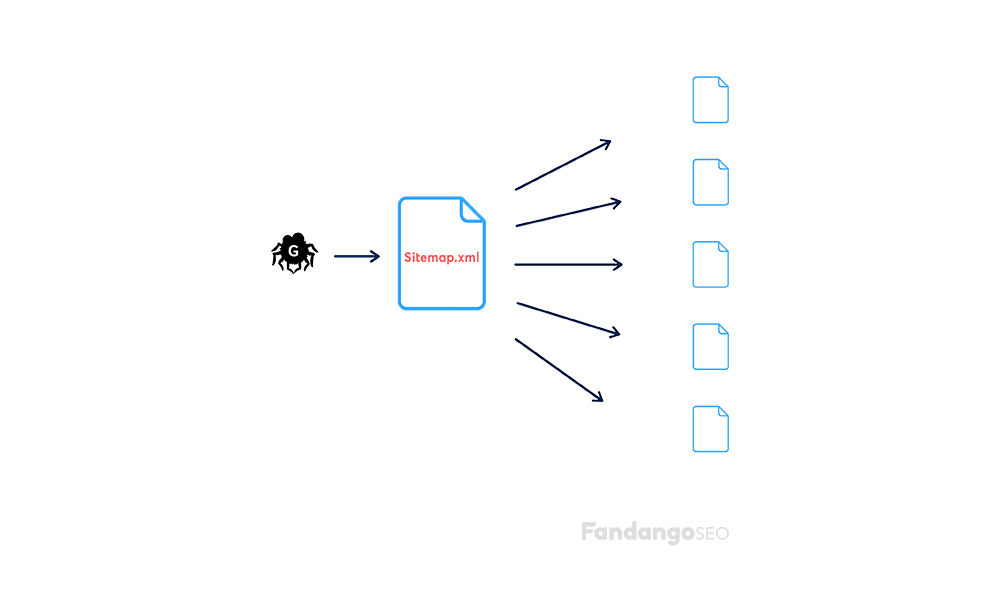
Remember that the first thing a search engine does when finding a website is check the robots.txt file, so if you want to make sure your sitemap is easily found, there’s the option to add the sitemap URL there too. See our guide on Robots.txt for the exact syntax.
XML sitemaps and AI crawlers
Sitemaps aren’t only useful for traditional search engines. AI crawlers like GPTBot and ClaudeBot can use the same file to discover pages on your site, the underlying job, listing your URLs in one machine-readable place, is the same regardless of who’s reading it.
There’s also a newer, AI-specific alternative worth knowing about: llms.txt, a proposed file offering a short, curated summary of your most important pages rather than an exhaustive list. It’s a different tool for a different job, your XML sitemap should still list everything, while llms.txt, if you choose to add one, highlights what matters most. For the fuller picture on optimizing for AI crawlers specifically, see our guide on Technical SEO for AI Search Engines.
Keep your sitemap accurate and monitor it
A sitemap generated once and left alone tends to drift out of sync with your actual site over time, new pages don’t get added, removed pages don’t get cleaned out, and lastmod dates stop reflecting reality. Regenerating your sitemap automatically, rather than editing it by hand, is the most reliable way to keep it accurate as your site changes.
It’s also worth regularly comparing the URLs you’ve submitted against what’s actually indexed in Google Search Console. A growing gap between the two is often the first visible sign of a crawling or indexing problem elsewhere on the site, well before it shows up anywhere else.
Generate XML Sitemaps
There’s a lot of information in this article, and it all sounds quite overwhelming, we know that. That’s why FandangoSEO has created an easy XML Sitemaps generator on the cloud, which generates them automatically, and in just a few clicks, they’re ready to be uploaded. And don’t worry about the 50,000 URL limit, once that number of pages is reached, it’ll jump to another XML file, keeping your sitemap index correct without any manual work.